

Blogger vs. WordPress vs. Modern Alternatives: Choosing the Right Blogging Platform in 2026
The blogging platform landscape in 2026 looks nothing like it did even five years ago. While Blogger and WordPress remain active options, they now compete with a new generation of platforms — Substack, Ghost, Webflow, and others — each optimized for different use cases. Choosing the right platform depends on your goals, technical comfort level, and growth plans.
This comprehensive comparison covers the major blogging platforms available in 2026, their strengths and weaknesses, and which one fits your specific situation.
The Blogging Platform Landscape in 2026
Before diving into individual platforms, it is worth understanding the major categories:
- Hosted platforms (Blogger, WordPress.com, Substack, Medium): The platform handles hosting, security, and maintenance. You trade control for convenience.
- Self-hosted platforms (WordPress.org, Ghost self-hosted): You host the software on your own server. Full control, full responsibility.
- Website builders with blogging (Webflow, Squarespace, Wix): Visual design tools that include blogging as a feature within a broader website builder.
- Headless CMS (Contentful, Strapi, Sanity): Content management backends that feed content to custom frontends via API. Maximum flexibility, highest complexity.
Blogger: Simple, Free, and Limited
Google's Blogger has been around since 1999 and remains completely free. For basic personal blogs, it still works. But its limitations are significant for anyone with serious content goals.
Blogger Pros
- Completely free: No hosting costs, no premium tiers, no hidden fees
- Google integration: Built-in AdSense integration, Google account authentication
- Zero maintenance: Google handles all hosting, security, and uptime
- Simple interface: Minimal learning curve for absolute beginners
Blogger Cons
- Outdated design: Templates look dated; customization options are severely limited
- No plugin ecosystem: You cannot extend functionality beyond what Google provides
- SEO limitations: Limited control over meta tags, URL structure, and technical SEO elements
- Platform risk: Google has a history of shutting down products (Google+, Google Reader). Your blog lives on Google's infrastructure with no easy export path
- No e-commerce or monetization flexibility: Beyond AdSense, monetization options are minimal
- No professional perception: A blogspot.com URL does not convey professional credibility
Best for: Personal journals, hobby blogs, and absolute beginners who want zero cost and zero complexity.
WordPress: The Industry Standard
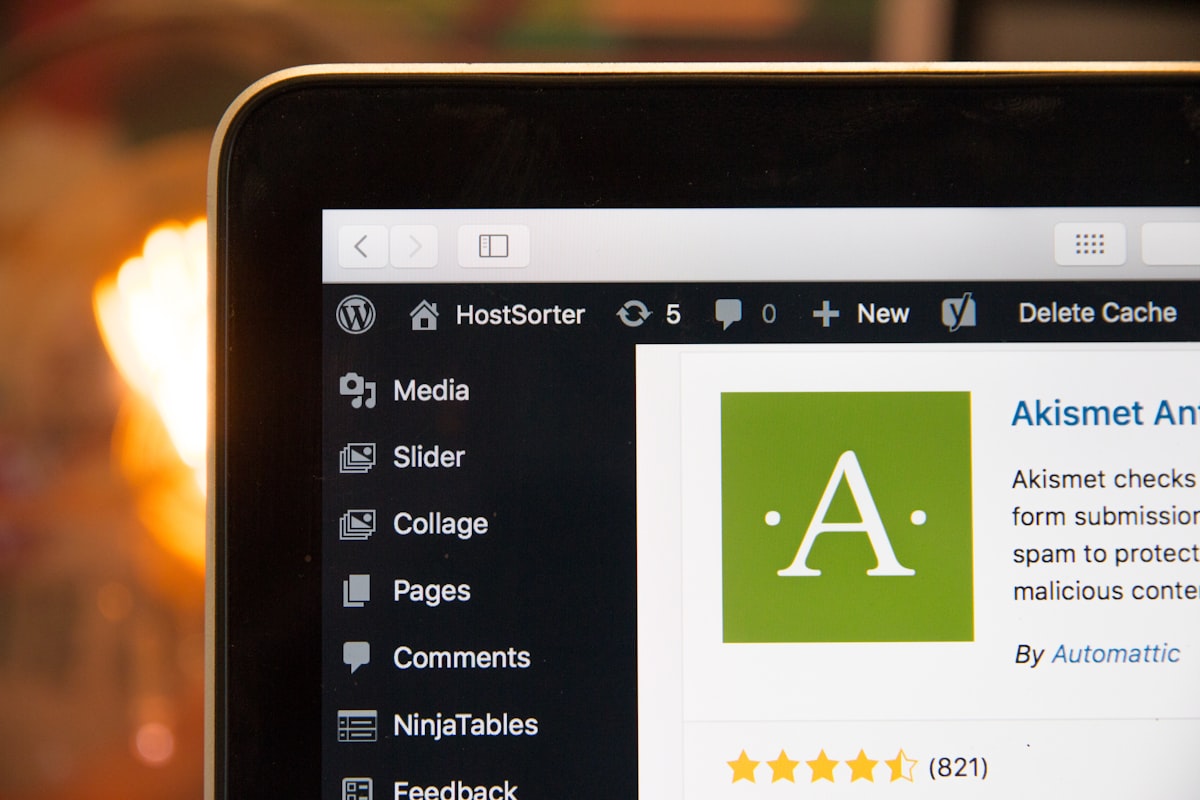
WordPress powers approximately 43% of all websites globally. It comes in two versions that are frequently confused:
WordPress.com (Hosted)
A hosted version where Automattic manages the infrastructure. Free tier is very limited; meaningful features require paid plans ($4-$45/month).
WordPress.org (Self-Hosted)
The open-source software you install on your own hosting. This is what most people mean when they say "WordPress" in a professional context.
WordPress Pros
- Unlimited flexibility: 60,000+ plugins and 10,000+ themes extend WordPress to handle virtually any use case
- Full SEO control: Plugins like Yoast SEO and Rank Math provide comprehensive SEO management
- Content ownership: With self-hosted WordPress, you own your content, your database, and your entire site
- Massive community: Extensive documentation, tutorials, forums, and developers available worldwide
- E-commerce ready: WooCommerce turns WordPress into a full e-commerce platform
- Multilingual support: Plugins like WPML enable multi-language content
WordPress Cons
- Maintenance burden: Self-hosted WordPress requires regular updates (core, themes, plugins), security patches, and backups
- Security vulnerabilities: The massive plugin ecosystem means more attack surfaces. WordPress sites are frequently targeted by automated bots
- Performance complexity: Without proper optimization (caching, CDN, image optimization), WordPress sites can be slow
- Plugin dependency: Over-reliance on plugins creates fragility — plugin conflicts, abandoned plugins, and compatibility issues after updates
- Learning curve: While basic blogging is simple, leveraging WordPress fully requires technical knowledge
Best for: Businesses, professional bloggers, content-heavy websites, and anyone who needs maximum flexibility and is willing to manage (or hire someone to manage) the technical aspects.
Ready to build your team?
Pre-vetted resumes in 48 hours. Free interviews, no obligation.
Hire Talent Now →
Substack: The Newsletter-First Platform
Substack has become the go-to platform for independent writers and newsletter creators. It combines blogging with email newsletter delivery and paid subscription management.
Substack Pros
- Built-in monetization: Paid subscription management with Stripe integration out of the box
- Email-first distribution: Every post is simultaneously a blog post and an email newsletter
- Network effects: Substack's recommendation system helps writers discover new audiences
- Zero technical overhead: No hosting, no plugins, no maintenance
- Reader community features: Comments, discussion threads, and Notes (short-form posts)
Substack Cons
- 10% revenue cut: Substack takes 10% of paid subscription revenue (plus Stripe's processing fees)
- Limited design control: All Substack blogs look essentially the same — minimal branding options
- SEO limitations: Less control over technical SEO than WordPress or Ghost
- Platform dependency: Your subscriber list is on Substack's infrastructure (though you can export it)
- Not a full website: Substack is a blog/newsletter tool, not a website builder
Best for: Independent writers, journalists, thought leaders, and anyone whose primary distribution channel is email newsletters.
Ghost: The Professional Publishing Platform
Ghost is an open-source publishing platform built specifically for professional content creators and media businesses. Setting up a self-hosted Ghost instance benefits from the skills of an experienced web developer familiar with Node.js deployment. It is what WordPress would look like if it were designed today, focused solely on publishing.
Ghost Pros
- Speed: Built on Node.js, Ghost is significantly faster than WordPress out of the box
- Built-in membership and subscriptions: Native support for free and paid memberships without plugins
- Clean, modern editor: A distraction-free writing experience with native support for rich media
- Built-in email newsletters: Send posts directly to subscribers without third-party tools
- SEO-optimized: Clean code, fast loading, and structured data built in
- No plugin bloat: Core features are built in, reducing security and maintenance concerns
Ghost Cons
- Smaller ecosystem: Fewer themes and integrations compared to WordPress
- Self-hosting complexity: Running Ghost on your own server requires Node.js knowledge
- Hosted pricing: Ghost(Pro) starts at $9/month and scales with subscriber count — can become expensive at scale
- Less flexibility: Not as extensible as WordPress for non-publishing use cases
Best for: Professional publishers, content-driven businesses, and teams that want a modern publishing experience without WordPress complexity.
Webflow: The Visual Website Builder With Blogging
Webflow is a visual website builder that gives designers code-level control without writing code. Its CMS includes blogging capabilities.
Webflow Pros
- Visual design freedom: Build any layout visually, with the precision of custom code
- Hosting included: Fast, reliable hosting with global CDN
- CMS flexibility: Design custom content structures (not just blog posts) with dynamic collections
- SEO control: Full control over meta tags, alt text, structured data, and URL structure
- Interactions and animations: Build complex animations and interactions without JavaScript
Webflow Cons
- Learning curve: Webflow's interface is powerful but complex — it is not drag-and-drop in the simple sense
- Pricing: CMS plans start at $23/month; business plans at $39/month
- Limited dynamic functionality: Complex logic, user authentication, and dynamic filtering require workarounds or third-party tools
- Content editor experience: The editing experience for non-technical writers is less intuitive than WordPress or Ghost
Best for: Design-focused businesses, agencies, and teams where the blog is part of a broader custom-designed website.
Platform Comparison Summary
- Cheapest option: Blogger (free) or WordPress.com free tier
- Most flexible: WordPress.org (self-hosted)
- Best for newsletters: Substack (built-in) or Ghost (built-in)
- Best for design control: Webflow
- Best for speed and simplicity: Ghost
- Best for e-commerce + blog: WordPress with WooCommerce
- Best for independent writers: Substack or Ghost
- Best for business websites with a blog: WordPress.org or Webflow
Making the Decision: Key Questions to Ask
- What is your primary goal? If it is newsletter monetization, Substack or Ghost. If it is SEO-driven traffic, WordPress or Ghost. If it is a full business website, WordPress or Webflow.
- What is your technical comfort level? Low: Blogger or Substack. Medium: Ghost (hosted) or WordPress.com. High: WordPress.org, Ghost (self-hosted), or Webflow.
- What is your budget? Zero: Blogger. Under $30/month: Ghost or WordPress.com. Flexible: WordPress.org with quality hosting or Webflow.
- Do you need more than a blog? If you need e-commerce, membership areas, or complex site architecture, WordPress or Webflow are your best options.
- How important is design? If pixel-perfect design matters, Webflow or WordPress with a custom theme. If content is king, Ghost or Substack.
Migration Considerations: Switching Platforms
If you are already on a platform and considering a switch, migration complexity is a major factor:
Easy Migrations
- Blogger to WordPress: WordPress has a built-in Blogger import tool. Content, images, and comments transfer reliably. URL structure changes require 301 redirects.
- WordPress.com to WordPress.org: WordPress.com offers a full export. The transition is straightforward with proper hosting setup.
- Medium to Ghost or Substack: Both platforms offer Medium import tools. Content transfers well; images may need manual attention.
Moderate Migrations
- WordPress to Ghost: Ghost provides a WordPress migration plugin. Custom post types, shortcodes, and plugin-dependent content require manual conversion.
- Squarespace to WordPress: Squarespace offers an export in WordPress format. Layouts and design do not transfer — you will need a new theme and layout configuration.
Difficult Migrations
- Wix to anything: Wix does not offer a clean content export. Blog posts can be exported via RSS, but pages, galleries, and dynamic content must be manually recreated.
- Webflow to WordPress: No automated migration path. Content must be manually transferred and redesigned.
- Any platform to a headless CMS: Requires content modeling, API setup, and custom frontend development.
The key lesson: your choice of platform is also a lock-in decision. Choose a platform that either you plan to use long-term, or that offers clean export and migration options if you change your mind.
Content Strategy Before Platform
The most common mistake in choosing a blogging platform is obsessing over features before defining your content strategy. Before evaluating platforms, answer these questions:
- How often will you publish? Daily, weekly, or monthly? This affects whether you need robust scheduling and editorial workflow features.
- Who will write? Solo creator, small team, or multiple contributors? Multi-author workflows require different platform capabilities.
- What formats will you use? Text-only, rich media, video, interactive content? Some platforms handle multimedia much better than others.
- How will you monetize? Ads, subscriptions, products, services, lead generation? Your monetization model significantly narrows your platform options.
- What is your growth target? Personal brand, small business, media company? Your long-term scale determines whether you need the flexibility of self-hosted options.
With these answers in hand, the platform decision often becomes obvious. A solo newsletter writer choosing between Substack and a self-hosted WordPress with 15 plugins should almost always choose Substack. A business building a content marketing engine with SEO, lead capture, and e-commerce should almost always choose WordPress or Webflow.
Building and Managing Your Blog: When to Hire Help
Whichever platform you choose, building a professional blog that drives business results requires more than just picking a platform. You need quality design, technical optimization, consistent content, and ongoing maintenance.
If you are using WordPress — still the most popular choice for business blogs — a dedicated WordPress developer can handle theme customization, plugin management, performance optimization, and security hardening. For custom-designed blogs on Webflow or other platforms, a dedicated web developer ensures your site is fast, accessible, and optimized for search engines.
GlobalEmployees provides dedicated remote developers starting from $590/month who work full-time on your website — building, optimizing, and maintaining it as your content strategy grows. With 12+ years of experience, 950+ placements, and a 100% money-back guarantee, hiring through GlobalEmployees removes the risk and cost barriers to getting professional development support.
Conclusion
There is no single best blogging platform — only the best platform for your specific goals, budget, and technical situation. Blogger still serves as a free starting point. WordPress remains the most versatile option. Substack and Ghost have carved strong niches for newsletter-driven publishing. Webflow excels for design-focused websites.
The most important decision is not which platform you choose but whether you commit to publishing consistently and investing in the quality of your content. A well-maintained WordPress blog will outperform a neglected Ghost site every time. Choose the platform that fits your workflow, then focus your energy on creating content that serves your audience.
Need to hire dedicated remote talent?
Get pre-vetted resumes within 48 hours — free consultation, no obligation.
Hire Talent Now